
One press, and you're recording.
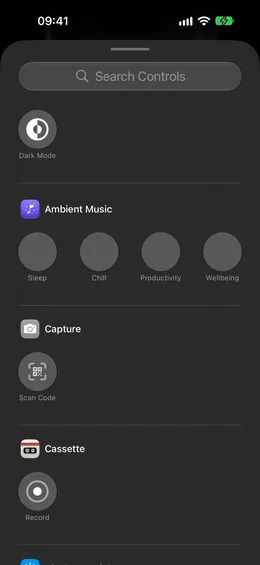
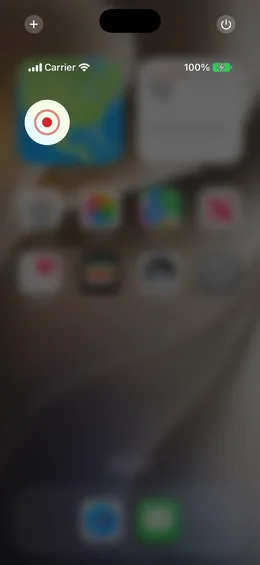
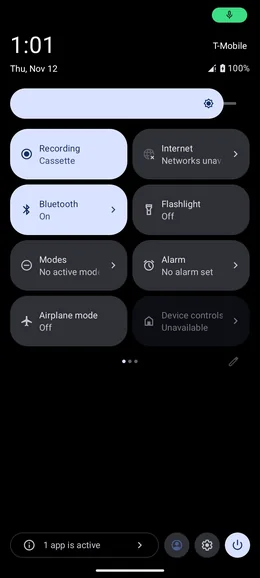
Cassette's Record goes on the Action button, in Control Center or on the Lock Screen on iPhone, and in Quick Settings on Android: one press starts a tape without opening Cassette, and a second press stops it.


Why one press matters
The moment worth recording rarely waits. By the time you unlock the phone, find the app and press record, the first sentence is gone. One press on the Action button or a Quick Settings tile starts the tape before the thought is over.
On iPhone
On iOS 18 or later, Cassette's Record is a control. Put it in Control Center, on the Lock Screen, or on the Action button, from Settings, Action Button, Controls, Choose a Control, Cassette, Record. Then press and hold the Action button to start a tape, and again to stop.
While it records
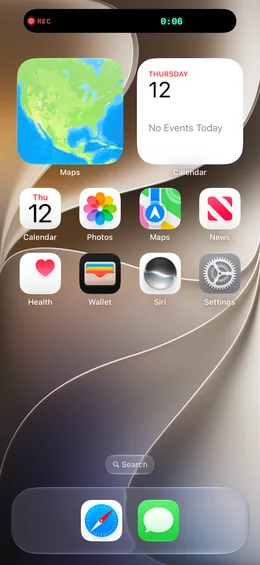
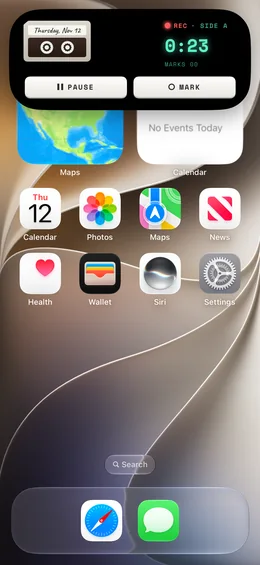
The tape shows on the Lock Screen and in the Dynamic Island, with the counter running. Press MARK there when something worth finding is said, and that moment makes the notes.
On Android
Add Cassette's Record tile to Quick Settings. One tap starts a tape without opening Cassette, even over the lock screen, and a tap on the lit tile ends it. The first time, before the microphone is allowed, it opens Cassette to ask.
Free to download. Recording is free and unlimited, and tapes under 3 minutes get their transcript and notes free.
And on the watch
On Apple Watch, add Cassette's Record to a watch face, or say "Start a tape in Cassette". On both watches, RECORD is the first key.
How people use it
- Walking out of a meeting: press and hold the Action button and say the three things you agreed.
- In the car, before you set off: start a tape from Control Center and talk through the day.
- When a class starts: one tap on the Quick Settings tile, phone face down on the desk.
- On a run: RECORD on the watch.
What's different
- It records with Cassette closed, and the tape is on the Shelf when you open it.
- MARK on the Lock Screen and in the Dynamic Island while it records.
- The same idea everywhere: the Action button, Control Center, the Lock Screen, Quick Settings and both watches.
Questions
Which iPhones have the Action button?
The iPhone models with an Action button; on others, use Control Center or the Lock Screen, on iOS 18 or later.
Does it record if Cassette is closed?
Yes. The tape starts without opening the app, and you find it on the Shelf.
Keep reading
- Voice notes and to-dosQuick thoughts, turned into lists.
- Cassette on your watchRecord from your wrist.
Free to download. Recording is free and unlimited, and tapes under 3 minutes get their transcript and notes free.