
Lecture notes and study cards, from the recording
Cassette records a lecture on your phone and turns it into notes in the shape of a class: the topics in order, the terms with their meanings, what the teacher said is on the exam, the homework, and study cards to test yourself.


Why record a lecture
In a fast class you choose between writing and understanding. With the class on tape you can listen, ask a question and still have every word for later. The parts students miss most, a hint about the exam, a change to the homework, a date said once at the end, are the ones Cassette pulls into their own lists.
Record the class
Put the phone on the desk with its bottom edge toward the speaker and press RECORD. Recording is free and has no minute meter, so a 90-minute class costs nothing to record. The screen can lock: the tape keeps rolling.
What lecture notes hold
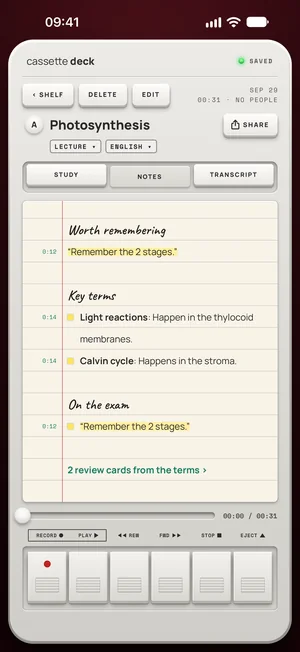
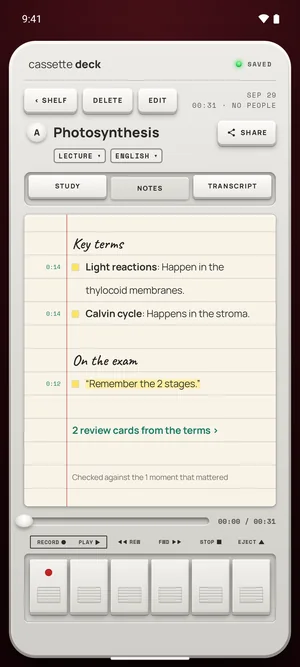
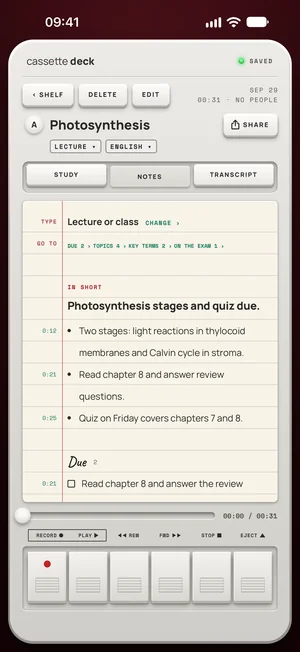
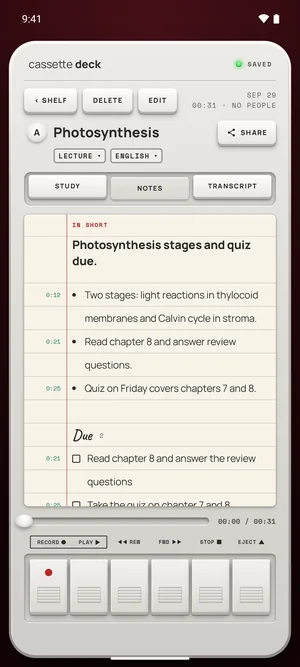
- Topics, with the time each one started, so you can jump to that part of the class.
- Terms, in bold, each with its meaning as it was said.
- Examples the teacher gave.
- What's on the exam, in its own list, when the teacher says so.
- Homework, with the day it's due when one is said.
Each line keeps its moment on the tape. Tap it and the recording plays from there.
A week with Cassette
- Monday, in the lecture hall: phone on the desk, RECORD, screen locked. MARK when the professor says "this will be on the exam".
- Monday evening: read the notes: the topics in order, the terms in bold, what's on the exam, the homework with its day.
- Wednesday, on the bus: open the Study tab and go through the cards.
- Before the exam: press ASK and type "What did she say is on the exam?" to pull it from every class at once.
Half price for students
Students at a college or university get Premium for $24.99 a year, which is $0.48 a week and half the yearly price. It is everything in Premium: every lecture written up, study cards, and the backup. In Cassette, open your profile, then Premium, choose Student Annual, enter your school email, and press the link Cassette sends you. The email is checked again once a year, while you study.
Half price for students: $24.99 a year ($0.48 a week) with a school email.
What Cassette does differently for students
- Notes in the shape of a class, not a meeting: topics, terms, examples, the exam and the homework.
- Study cards from the terms, the same day.
- Offline in the lecture hall once your language has downloaded, and a long class has no minute meter.
- One place for the semester: the Shelf keeps every class with its date, and search finds any word said.
No recorder to buy
A voice recorder for class is one more thing to charge and remember, and its files still have to be typed up. Your phone is already on the desk. Cassette makes it the recorder and writes the notes too, and recording is free and unlimited.
Study cards
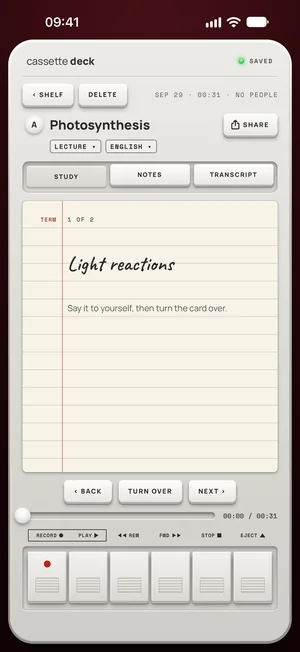
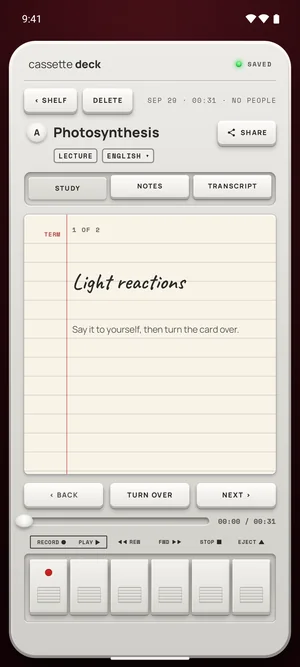
The Study tab turns the class into cards: a term or a question on the front, its meaning or answer on the back. Say the answer to yourself, then turn the card over.
Bring last term's recordings
Already have recordings from earlier classes? Share the file to Cassette or press ADD FILE on the Shelf, and it becomes a tape with notes like any other. On a Mac, drag it onto the Shelf.
Free to download. Recording is free and unlimited, and students at a college or university pay $24.99 a year for Premium ($0.48 a week) with a school email.
Check your school's rules
Many schools and teachers have a policy on recording classes. Ask the teacher first, and keep recordings for your own study.
Questions
Does it work offline in a lecture hall?
Yes. Recording always works offline, and the transcript and notes do too once your language has downloaded (on Android, once the notes model has arrived over Wi-Fi).
Can I use it on an iPad?
Yes. On iPad the notes open beside the deck. One Premium covers iPhone, iPad and Mac.
Is there a student price?
Yes. Students at a college or university pay $24.99 a year ($0.48 a week) with a school email. You confirm it once with a link, and it's checked again once a year.
What if it picks the wrong type?
Change the type on the notes page, and the notes are written again in that shape. On Android, the type is picked and changed only on phones with 8 GB of memory or more, once Cassette's notes model is on it.
Keep reading
- How to record a lecture on iPhoneWhere to put the phone and how to get a clear tape.
- Lecture recording app: what to look forThe free options first, then what an app adds.
- TranscriptionLanguages, and working offline.
Free to download. Recording is free and unlimited, and students at a college or university pay $24.99 a year for Premium ($0.48 a week) with a school email.