
Podcast transcription, with the quotes pulled out
Cassette turns a podcast episode into a transcript and interview notes: each question with its answer and the quotes word for word, so show notes and clips start from text instead of from scrubbing.


Why transcribe a podcast
Show notes, clips, chapter titles and the post that goes with the episode all start from what was said. Finding a quote by scrubbing through an hour of audio is slow. A transcript you can search, with the questions, answers and quotes pulled out, turns that into minutes.
Record the episode, or add the file
Record a conversation on the deck, or bring in an episode you recorded elsewhere: share the audio file to Cassette or press ADD FILE on the Shelf. On a Mac, drag it onto the Shelf. On iPhone, iPad and Mac, Cassette reads M4A, MP3, WAV, AAC, FLAC, Opus and the sound in MP4.
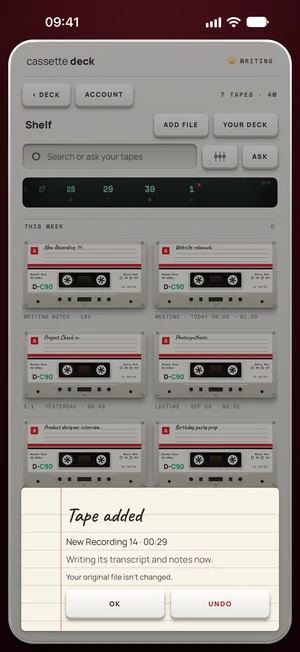
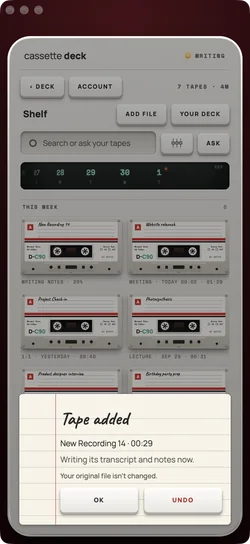
What episode notes hold
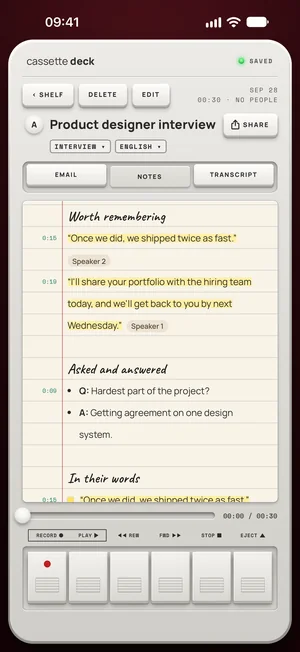
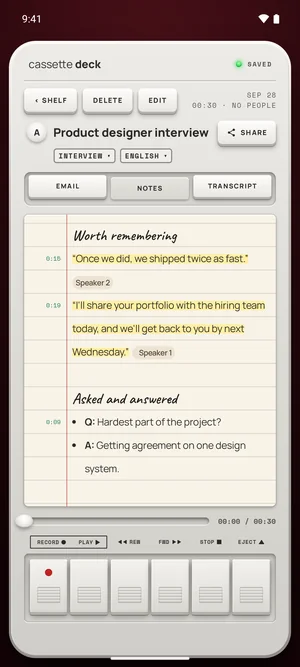
A podcast conversation gets interview notes, the shape that fits a host and a guest:
- Each question and answer, in order.
- Quotes, word for word, each with its time on the tape.
- Facts and names that came up, and the follow-ups promised on air.
A transcript to search and copy
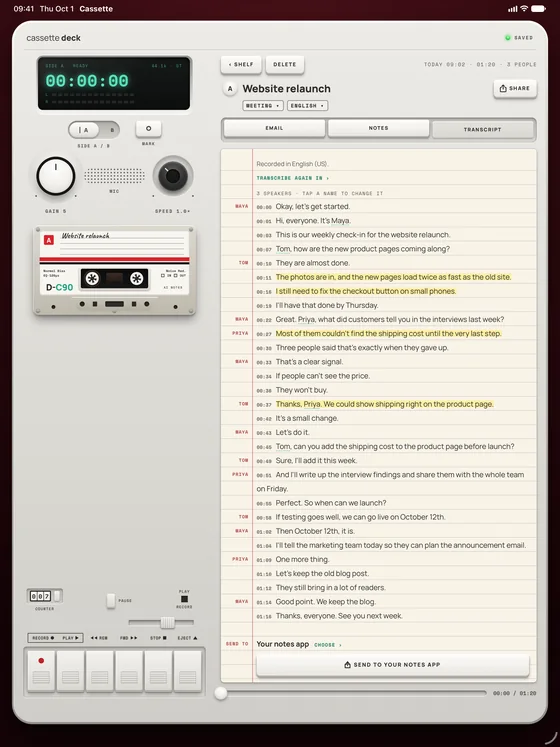
Every line has its time, so a quote for the show notes can be checked against the audio with one tap. Copy a whole tab, or save it as a PDF or a Word file.
Free to download. Recording is free and unlimited, and tapes under 3 minutes get their transcript and notes free.
How to use it
- Record or bring it in: record a conversation on the deck, or press ADD FILE and pick the episode from your recording setup.
- Read the interview notes: each question with its answer, the quotes word for word.
- Check a quote with one tap on its time before you use it.
- Write the show notes from the notes, and copy the transcript into your editor or save it as a PDF or a Word file.
What Cassette does differently for podcasters
- Notes in an interview's shape, which fits a host and a guest.
- Your own audio files: M4A, MP3, WAV, AAC, FLAC, Opus and the sound in MP4 on iPhone, iPad and Mac.
- No minute meter on recording, and Premium writes up every episode.
- Ask across episodes: "Which guest talked about pricing?"
Keep your microphone, drop the extra service
Keep the microphones you record with. What Cassette replaces is the separate transcription step: the episode file goes in, and the transcript and the notes come out in Cassette, ready to search and copy.
Questions
Is there a length limit?
Recording has none, and Premium writes up every tape. On the free plan, tapes under 3 minutes get their notes free and longer ones count toward 2 a month.
Does it tell the speakers apart?
On iPhone, iPad and Mac the transcript shows who spoke when Cassette can tell the voices apart, and it can remember a voice you name, only if you choose REMEMBER.
Keep reading
- InterviewsThe same notes, for interviews.
- Add a recording you already haveFiles from any recorder.
- TranscriptionLanguages and offline use.
Free to download. Recording is free and unlimited, and tapes under 3 minutes get their transcript and notes free.