
Transcribe a recording you already have
Share a voice memo or an audio file to Cassette, or press ADD FILE on the Shelf, and it becomes a tape with a transcript and notes like any recording made in the app. The original file isn't changed.


Why bring old recordings in
Most people have recordings they never got round to: voice memos from last year, a lecture someone else recorded, an interview from a dedicated recorder. Each one holds something you meant to keep. Added to Cassette, it gets the same transcript and notes as a new tape.
Three ways in
- Share it. In Voice Memos, Files or another app, share the recording and choose Cassette.
- ADD FILE. Press it on the Shelf and pick the file.
- Drag it. On a Mac, drag the file onto the Shelf. A long recording from Voice Memos goes to the Desktop first, then onto the Shelf.
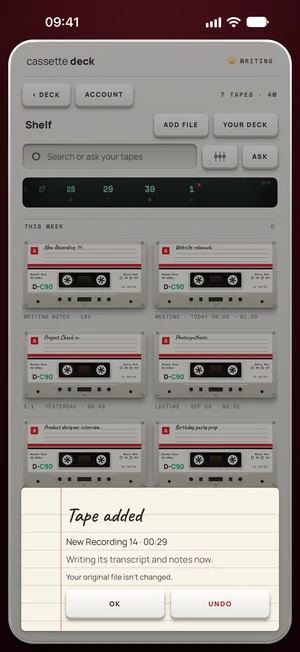
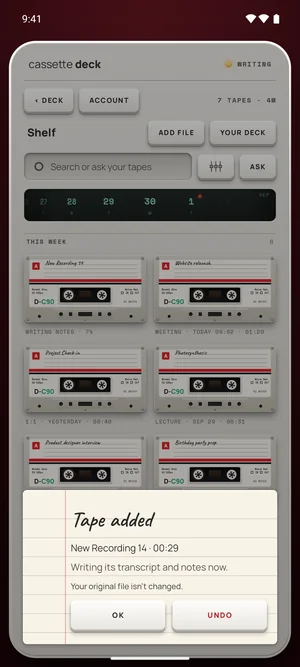
What it reads
On iPhone, iPad and Mac, Cassette reads M4A, MP3, WAV, AAC, FLAC, Opus and the sound in MP4. On Android it takes audio files and the sound in MP4 videos.
A file counts the same way as a tape you record: under 3 minutes its notes are free.
Free to download. Recording is free and unlimited, and tapes under 3 minutes get their transcript and notes free.
What you get
A transcript with every line timed, notes in the shape the recording calls for, and, for meetings and interviews, a follow-up email.
Already bought a voice recorder?
Keep using it if you like it. Its files come into Cassette with ADD FILE, or with a drag onto the Shelf on a Mac, and get the transcript and the notes. For the next recording, your phone can do the job itself, with nothing to charge or copy across.
What's different
- Your original file isn't changed.
- The same notes as a recorded tape, in the shape the recording calls for.
- Short files are free: under 3 minutes.
Questions
Is my original file changed?
No. Cassette keeps its own copy, with the file's name and date, and handles it like a recording.
Can it take a video?
It takes the sound from an MP4 video.
Keep reading
- How to transcribe voice memosThe free way, then Cassette.
- PodcastsEpisodes you recorded elsewhere.
- TranscriptionLanguages and offline use.
Free to download. Recording is free and unlimited, and tapes under 3 minutes get their transcript and notes free.