
Features
Cassette records on your phone, Mac or watch, and when you press STOP it writes the transcript, the notes and the follow-up. Here is what it does, and what it does differently.


Six things to know before you pick a note taker.
Each one is in the app today, on the screens below.
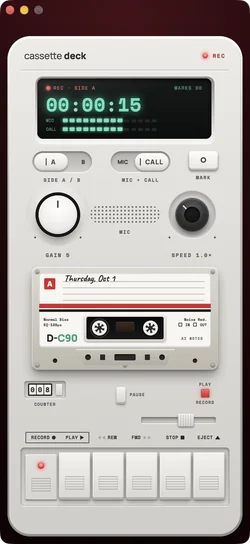
Your calls, with nobody added.
On a Mac, Cassette records what the Mac plays and your microphone. Nothing joins the call, so there's no bot in the list of people.
More →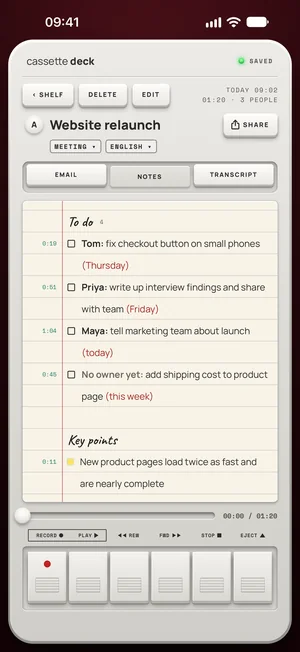
To-dos with a name and a day.
The notes group the to-dos by the person doing them, with the day when someone says one.
More →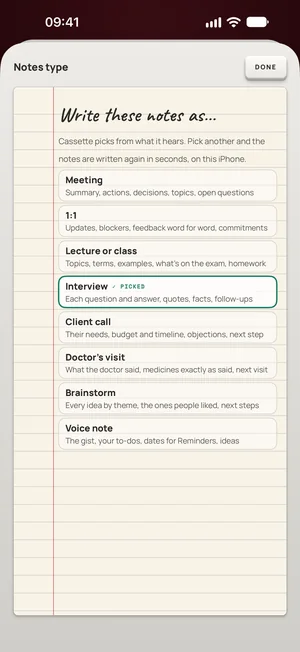
Notes in the shape of what you recorded.
A meeting gets decisions and to-dos, a lecture its terms and what's on the exam, an interview each question with its answer. Change the type and the notes are written again (on Android, on phones with 8 GB of memory or more).
More →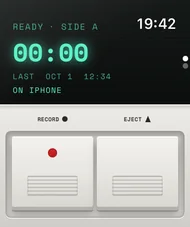
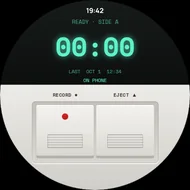
RECORD on Apple Watch and Wear OS.
Two keys on your wrist, on either watch. Each tape goes to your phone, which writes it up.
More →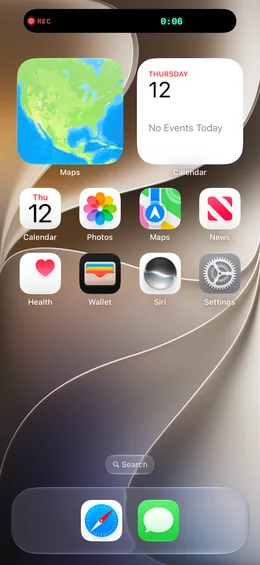
Recording before the app opens.
Put Record on the Action button or in Control Center on iPhone, or the Record tile in Quick Settings on Android. One press starts a tape, even with Cassette closed.
More →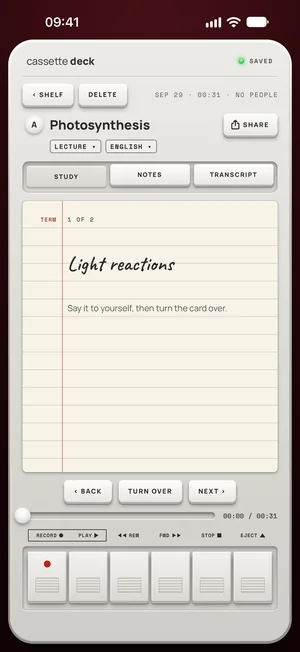
A lecture you can test yourself on.
Lecture notes turn into study cards: a term on the front, its meaning on the back. Say it to yourself, then turn the card over.
More →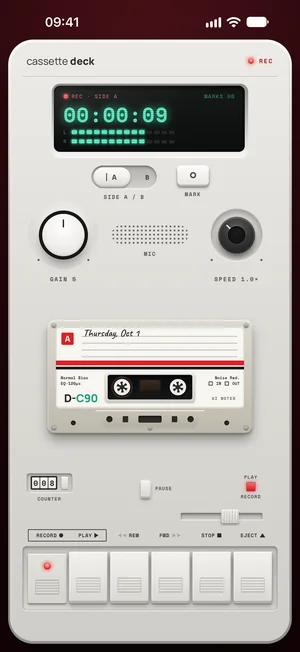
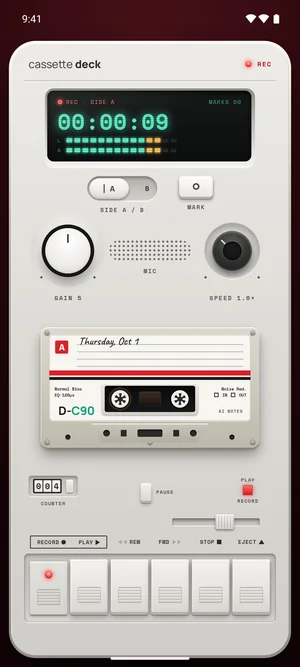
Your phone is the recorder.
You don't need a separate recorder to buy, charge, pair and carry. Cassette turns the phone already in your pocket into one, and the watch on your wrist too. Recording is free and unlimited, with no minute meter, and the tapes stay on your phone.
A recording on its own is an hour you have to listen to again. Cassette writes it up as soon as you stop: who does what and by when, what was decided, the moments you marked. So you can stay in the conversation instead of taking notes.
Get it on your phone →From RECORD to notes you can use.
The notes are ready when the tape stops.
Press STOP and the notes are written: a short summary, what was decided, the to-dos by person with their days, the key points under their topics and the questions still open. On iPhone, iPad and Mac they are written on the device or by Apple's own models, never an outside AI service. On Android, on the phone itself.
What goes in the notes →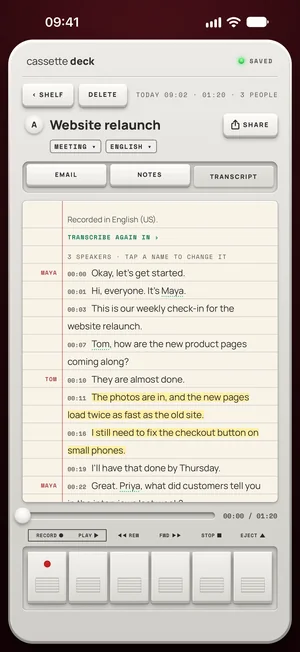
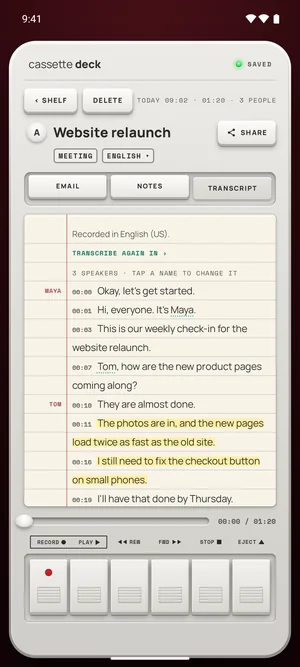
Every word, with the moment it was said.
Each line of the transcript has its time, and a tap plays that moment. On iPhone, iPad and Mac the lines carry the speakers' names when Cassette can tell the voices apart. Once your language has downloaded it works offline.
More about transcription →Ask your tapes.
“What's due this week?” “What did we decide about the price?” Ask across every tape and get the answer from what was really said, with the tapes it came from.
More about Ask →The notes land in your notes app.
Pick your notes app once on the SEND TO line, and each tape's notes go there written out for it: Apple Notes, OneNote, Notion, Evernote or Google Keep, and Samsung Notes on Android. Or save a PDF or a Word file, or make a Share Link.
More about sending →Mark the moment, without opening the app.
Press MARK when something worth finding is said: on the deck, on the Lock Screen and in the Dynamic Island on iPhone, from the recording notification on Android, and on both watches. Each marked moment makes the notes.
Recording and marking →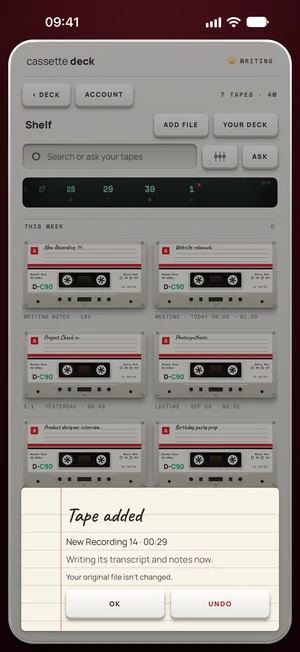
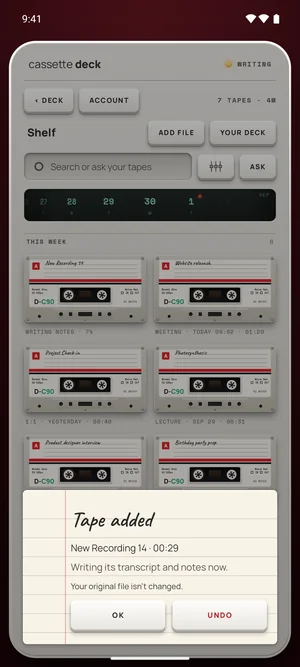
Got a recording already? Add the file.
Share a voice memo or an audio file to Cassette, or press ADD FILE on the Shelf, and it becomes a tape with a transcript and notes like any other. On a Mac, drag it onto the Shelf. Your original file isn't changed.
More about adding a file →Other topics.
Features
And the small things
- A deck with real keys: piano keys, a tape counter, VU meters, side A and B.
- A speed knob to play a tape back from half speed to double speed.
- Nothing lost: audio is saved every few seconds while you record.
- Widgets on the Home Screen and the Lock Screen.
- Remembered voices on iPhone, iPad and Mac, only when you choose REMEMBER.
- Search the Shelf by title, by who was there, or by any word said.
Free to download. Recording is free and unlimited, and tapes under 3 minutes get their transcript and notes free.