
A meeting recorder that writes the notes
Cassette records a meeting on your phone in the room, or on your Mac during a call, and when you press STOP it writes the notes: what was decided, who does what and by when, and a draft of the follow-up email.


Why record a meeting at all
Taking notes and taking part pull against each other. While you type, you miss what was said and the moment to answer it, and a week later the notes say "talked about pricing" instead of what was decided and who said they'd do it. A recording keeps everything, but nobody has an hour to listen to it again. Cassette keeps both: the tape, and notes short enough to read in a minute, with every line one tap from the moment it came from.
In the room, or on the call
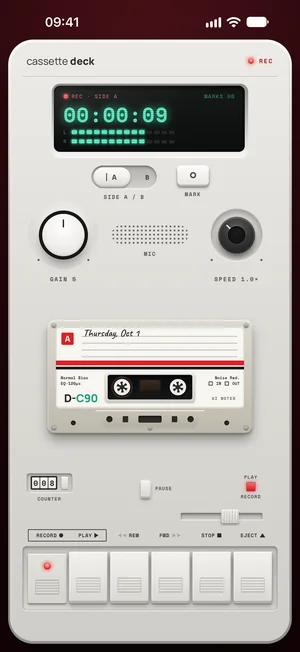
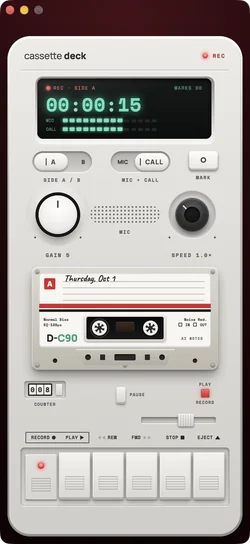
Put your phone on the table and press RECORD. Lock the screen or switch apps and the tape keeps rolling. For a video call, record on your Mac: Cassette hears what the Mac plays and your microphone, so nothing joins the call and nobody gets an invite from a note taker.
What the meeting notes hold
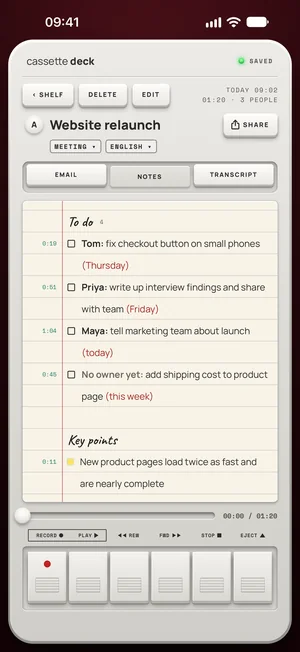
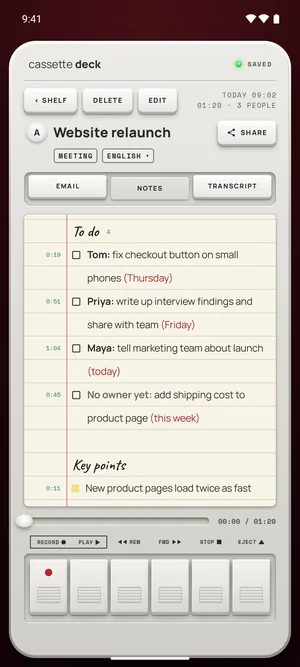
Cassette works out that the tape is a meeting and writes meeting notes. The to-dos come first, grouped by the person doing them, like Priya: write up interview findings (Friday). When nobody took a task, it says No owner yet, so it doesn't get lost.
- Decisions, each one kept apart from the discussion.
- Key points under their topics, in the order the meeting got to them.
- Open questions, the things nobody settled.
- The time on the tape next to each line: tap it to hear that moment.
The follow-up email, already written
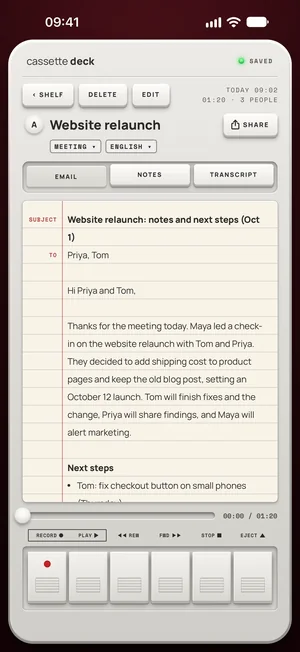
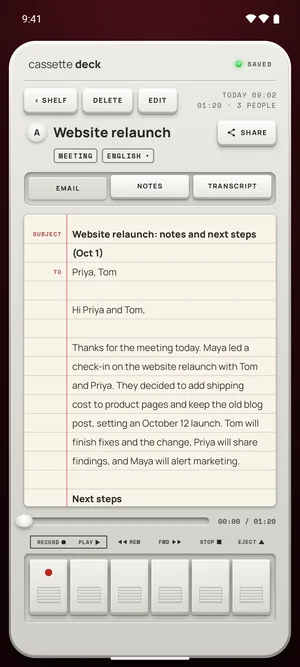
A meeting also gets an email for the people who came up: a subject, a greeting, the recap and the action items. Send it from your mail app while the meeting is still fresh.
How to use it, start to finish
- Before: press RECORD as people sit down, or press the Action button without opening Cassette. Say that you are recording.
- During: put the phone face up in the middle of the table and forget it. Press MARK when something matters: a number, a promise, a date.
- After: press STOP, and the notes are written: the to-dos by person, the decisions, the open questions. Tap a line's time to check it.
- Then: send the follow-up email from the Email tab, and the notes to your team's notes app from the SEND TO line.
What Cassette does differently in a meeting
- Nobody joins the call. There is no bot to admit, explain or remove. On a Mac, the call is recorded from what the Mac plays and your microphone.
- Tasks carry a name. When nobody took a task, the notes say No owner yet instead of guessing, so it doesn't fall through.
- Every line can be checked. Each note keeps its moment on the tape.
- The room, not only the call. Plenty of meetings happen around a table, and the phone in the middle hears them.
No recorder to buy
You don't need a conference microphone or a recorder for the meeting room. The phone you bring to the meeting is the recorder, and the Mac you take calls on records the calls. Recording is free and unlimited, so a two-hour planning session costs nothing to record.
Then send the notes where your team works
Pick Apple Notes, OneNote, Notion, Evernote or Google Keep on the SEND TO line, and Samsung Notes on Android. A Share Link turns the notes into a web page for people who don't use Cassette, without the audio or the transcript.
Free to download. Recording is free and unlimited, and tapes under 3 minutes get their transcript and notes free.
Before you record
Ask first. Whoever you are recording should know about it, some places require everyone's consent, and it is the decent thing to do.
Questions
Does a bot join my calls?
No. On a Mac, Cassette records what the Mac plays and your microphone, on macOS 15.2 or later. On a phone, it records the room.
Can it record a phone call?
No. A phone call pauses the tape on iPhone, and you pick up where you left off. Record video calls on your Mac instead.
Who writes the notes?
On iPhone, iPad and Mac, Apple's own models, on the device or with Private Cloud Compute on iOS 27, never an outside AI service. On Android, Cassette's own notes model on the phone, on phones with 8 GB of memory or more; other phones get simpler notes.
Is it free for meetings?
Recording is free and unlimited. Tapes under 3 minutes get their notes free, longer ones count toward 2 free tapes a month, and Premium writes up every tape.
Keep reading
- AI meeting notesWhat goes in the notes, and how they are checked against the tape.
- How to choose a meeting notes appWhat your phone and your call app already do.
- How to take notes in a meeting using AIStep by step, in the room and on calls.
- Record calls on a MacWith no bot in the call.
Free to download. Recording is free and unlimited, and tapes under 3 minutes get their transcript and notes free.