
An interview transcription app that writes the notes too
Written by the team that builds Cassette, so we are not neutral about it. Updated 16 November 2026.
Your phone can already record and transcribe an interview: Voice Memos shows a transcript on iPhone 12 or later in the languages Apple supports, the Recorder app does it on Pixel phones, and Voice Recorder on Galaxy phones with Galaxy AI can transcribe a recording. What they leave to you is the write-up. Cassette records the interview, writes the transcript, and for an interview in English it writes interview notes too: the context, each main question with a short summary of the answer, the most telling quotes, the facts stated and the follow-ups promised.


Before you start: get a recording you can transcribe
A transcript is only as good as the sound. A few small things make the difference.
- Ask first. Tell the person you are recording and why, before you press record.
- Put the phone between you, flat on the table, closer to the person you are interviewing than to you. Their answers matter more than your questions.
- Pick a quiet room. A cafe's music and cups end up in the transcript as gaps and wrong words.
- Silence the phone. Turn on Do Not Disturb so a buzz doesn't cover an answer.
- Check battery and storage before a long conversation.
Transcribe an interview with the app your phone came with
If a transcript is all you need, start here. It costs nothing.
On iPhone, record in Voice Memos. On iPhone 12 or later you can view a transcript of the recording in the languages Apple supports, and copy it out.
On a Pixel, the Recorder app writes a live transcript as you record. Google's page on transcriptions lists the languages for each Pixel and says Pixel 8 and later can also summarize a recording of 5 minutes to an hour.
On a Galaxy phone, Voice Recorder has an Interview mode that records sound from the top and bottom of the phone, so you can lay it between two people. On phones with Galaxy AI it can also transcribe and summarize the recording.
Either way you end up with a long block of text. Pulling out what each answer said, the lines worth quoting and what you promised to send is still your job.
Record the interview with Cassette
Cassette looks like a tape deck and works like one. It runs on iPhone and Android, and the steps are the same on both.
- Press RECORD. The tape keeps rolling when the screen locks, so you can put the phone down and look at the person, not the screen.
- Tap MARK when an answer is one you will want again. The mark holds that moment on the tape.
- Press STOP at the end. Cassette writes the transcript and the notes, on the phone or with Apple's own models, never an outside AI service.
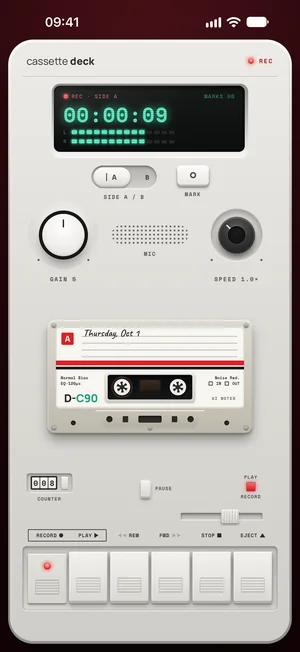
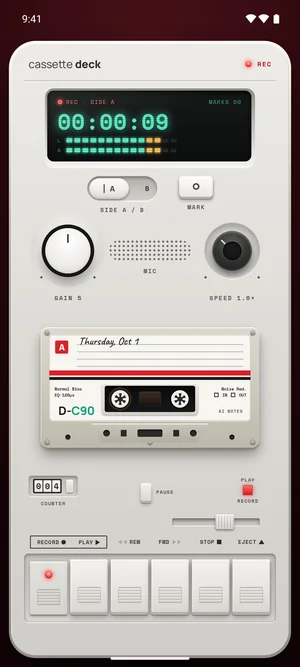
Interviewing someone over a video call? On a Mac, set Cassette's switch to CALL and it records the call's sound together with your microphone, with nothing joining the call. The Zoom on Mac guide has the steps.
Free to download. Recording is free and unlimited, and tapes under 3 minutes get their transcript and notes free.
What the interview notes look like
Cassette picks the kind of notes from what it hears (on Android, on phones with Cassette's notes model). For an interview in English it writes:
- The context: who and what, only as said.
- Each main question asked, with a one or two sentence summary of the answer.
- The most telling quotes, in the person's own words.
- The facts stated: names, numbers and dates.
- The follow-ups: what either of you promised to send or do.
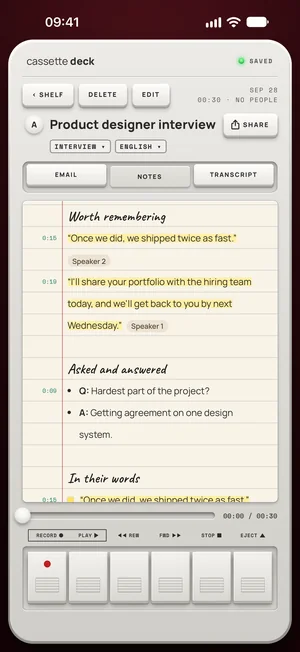
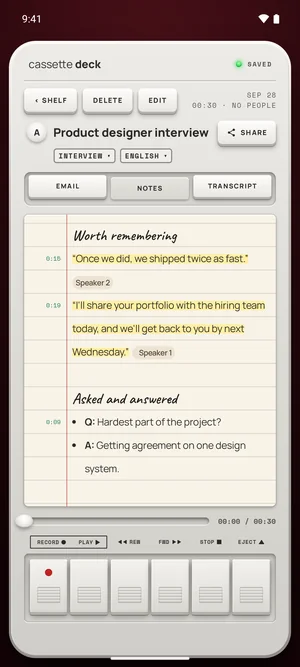
The notes report what was said. Cassette is told never to judge, score or rate the person, which matters for a job interview.
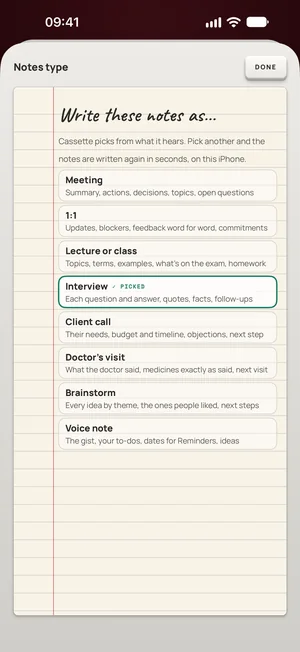
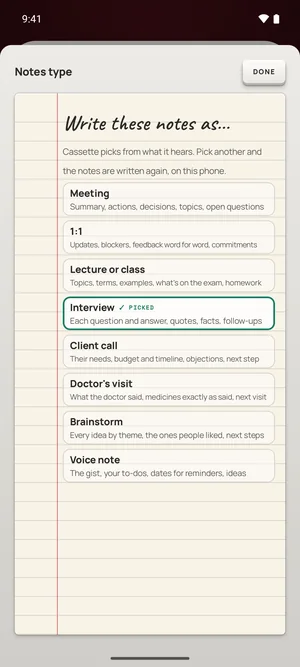
If it guessed wrong, for example an interview it took for a meeting, choose Interview from the notes type list and the notes are written again. These interview notes are for tapes in English. An interview in another language still gets its transcript and general notes, without this layout.
On an iPhone without Apple Intelligence or on a version before iOS 26, or an Android phone with less than 8 GB of memory, you get the recording, the transcript and a few lines heard clearly, word for word, instead of these notes.
Already recorded the interview?
On iPhone, iPad and Mac, Cassette can bring in an audio file you already have: share it to Cassette on iPhone or iPad, press ADD FILE on the Shelf, or drag it onto the Shelf on a Mac. A long recording dragged straight from Voice Memos on a Mac has to go to the Desktop first. Cassette reads M4A, MP3, WAV, AAC, FLAC, Opus and the sound in an MP4. The file becomes a tape with a transcript and notes under the same free tape rule, and the original isn't changed.
After the interview
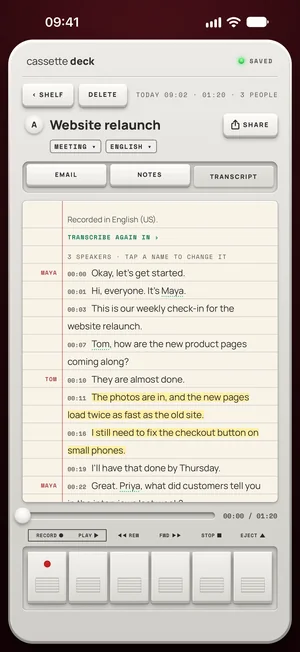
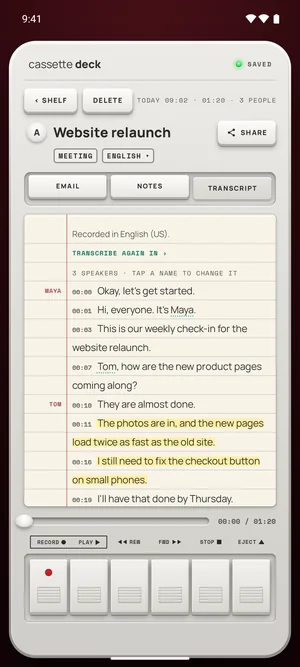
- Read the transcript. Open the tape and tap TRANSCRIPT for the whole conversation as text.
- Keep the notes with your others. Send them to Notion, OneNote, Evernote or Google Keep, to Apple Notes on iPhone, or to Samsung Notes on a Samsung phone.
- Ask your tapes. On a phone that writes full notes, type a question like "what did she say about pricing?" and get an answer from your own recordings.
Before you record
Ask first. Whoever you are recording should know about it, some places require everyone's consent, and it is the decent thing to do.
Questions
Is there a free interview transcription app?
Yes. Voice Memos on iPhone, Recorder on Pixel phones and Voice Recorder on Galaxy phones with Galaxy AI can all transcribe for free. Cassette records for free with no time limit. A tape under 3 minutes is transcribed free, and 2 longer tapes a month are too. Most interviews are longer, and Premium covers every tape after that.
Does it work without the internet?
On Android, the phone writes the transcript itself, and the notes model arrives over Wi-Fi once after you install, so open Cassette on Wi-Fi before you need it. On iPhone, the transcript is written on the device in the languages it supports there, once that language's speech model is downloaded. Otherwise Apple's servers write it.
Can I keep the interview private?
Notes are written on the device or by Apple's own models, never by an outside AI service. On Android, the audio only leaves the phone if you sign in with Premium, which backs tapes up. On iPhone there are more cases: Apple's servers transcribe a tape the phone can't do on the device, the notes can be written on Apple's Private Cloud Compute on iOS 27, and tapes go in iCloud and computer backups and in your Premium backup. To stop all of that, turn on On-device only in your Cassette profile.
Will the person know they are being recorded?
Cassette doesn't tell them, so tell them yourself before you press RECORD.
Keep reading
- All featuresWhere this fits in Cassette.
- How to record and transcribe a meeting, with no bot in the callRecord and transcribe a meeting on iPhone, Android or Mac, in a room or on a call: what Zoom, Teams and Meet do, and how Cassette does it with no bot.
- How to transcribe voice memos to text on iPhone or AndroidTurn a voice memo into text with the tools already on your phone. Steps for iPhone, Mac, Pixel and Samsung, and how Cassette adds a to-do list.
- How to record a Zoom meeting on a Mac, with audioRecord a Zoom meeting on your Mac with everyone's voice: Zoom's own Record button, the Mac's screen recorder, and Cassette's CALL switch.
- How to turn audio into textTurn an audio file into text: Word's Transcribe for MP3, M4A and WAV files, or Cassette on iPhone, iPad and Mac for a transcript and notes.
- Which voice recorder app should you use?Do you need a voice recorder app at all? What the free recorder on your iPhone or Android already does, what to check in another one, and where Cassette fits.
Sources
- Apple Support: View a Voice Memos transcription on iPhone: https://support.apple.com/guide/iphone/view-a-transcription-iph00953a982/ios
- Pixel Phone Help: Create, edit and manage transcriptions: https://support.google.com/pixelphone/answer/16267698?hl=en
- Samsung Support: Use Voice Recorder with Galaxy AI: https://www.samsung.com/us/support/answer/ANS10000942/
Free to download. Recording is free and unlimited, and tapes under 3 minutes get their transcript and notes free.